

Description
Spliteezy picks the variant on the server before the page loads — so visitors never see a flash of the wrong content, and every variant lives at the same URL.
Most A/B testing tools swap content using JavaScript after the page has already started rendering. That causes a brief “flash” of the original before the variant snaps in. Others create separate URLs for each variant, which introduces duplicate content risks and leaves behind 404s when a test ends.
Spliteezy works differently:
- Server-side assignment — the variant is chosen in PHP, before
wp_head, so the correct version is served from the very first byte. - Same URL for every variant — no duplicate pages, no SEO risk, no broken links when a test ends.
- No flicker — visitors always see exactly one version of the page.
- Any page builder — variants are real WordPress posts, editable with Gutenberg, Elementor, Divi, Bricks, or the Classic Editor.
- Built for caching — choose how tests and your page cache work together: exclude tested pages from cache, keep one cached copy per variant, or embed variants in a single cacheable page. Affected pages are purged automatically when tests change.
- Lightweight tracker — a small vanilla JS file (no framework, no jQuery) tracks page views, clicks, scroll depth, time on page, form submissions, and video plays. Events are proxied through WordPress admin-ajax so the API key never touches the browser, and it’s stored encrypted in your WordPress database.
Goal types
- Page reached — fire a conversion when a visitor lands on a specific URL pattern.
- Click — track clicks on any CSS selector or specific URLs on the page.
- Scroll depth — fire at 25%, 50%, 75%, or 100% scroll milestones.
- Time on page — fire at 10s, 30s, or 60s milestones.
- Element view — fire when a specific element scrolls into the viewport (IntersectionObserver).
- Form submission — track any form (Contact Form 7, WPForms, Gravity Forms, native HTML).
- Video play — track first play of YouTube, Vimeo, or HTML5 video.
- External event — fire a conversion from GA4, GTM, Meta Pixel, or any custom JavaScript via
window.Spliteezy.trackEvent().
Plans
Spliteezy is a hosted service. A free plan is available with no credit card required. See spliteezy.com/pricing for current plan details.
Source code
The plugin admin dashboard (assets/js/dashboard.js) is compiled from a React/Vite source project. The full source is available at https://github.com/linebloc/spliteezy-plugin under the same GPL-2.0-or-later license.
External Services
This plugin connects to the Spliteezy hosted service at https://spliteezy.com to provide its core functionality. By using this plugin you are agreeing to the Spliteezy Terms of Service and Privacy Policy.
When the plugin contacts spliteezy.com:
- When you click “Connect to Spliteezy” in the plugin settings: your browser is sent to spliteezy.com to authorize the connection, and the plugin then exchanges a short-lived one-time code server-to-server for the website API key. The key itself never travels through your browser. Your website’s domain and Site Title are sent so the website can be registered under a friendly name in your account.
- On the first frontend page load after the transient expires (every ~5 minutes per website), to fetch the active test manifest.
- When a visitor triggers a tracked event (page view, click, scroll, etc.), to record analytics. Events are batched and sent through WordPress admin-ajax — the API key never reaches the browser.
- When you click “Test connection” in the plugin settings.
- When you create, update, pause, or delete a test from the WordPress admin.
- When the Spliteezy app pushes a cache-invalidation signal (e.g. after a test change).
Data transmitted to spliteezy.com:
- An anonymous visitor ID (a random token stored in a first-party cookie — not linked to any personal identity).
- The current page URL.
- Test and variant identifiers.
- Behavioral events: page view, goal page reached, click, scroll depth, time on page, element view, form submission, video play.
No IP addresses, names, email addresses, or other personally identifying information are transmitted from the plugin to the Spliteezy API.
When a test includes a Video Play goal, the plugin also loads third-party scripts conditionally:
- YouTube IFrame API —
https://www.youtube.com/iframe_api— loaded only when a YouTube iframe is present on the page and a video-play goal is active. - Vimeo Player SDK —
https://player.vimeo.com/api/player.js— loaded only when a Vimeo iframe is present on the page and a video-play goal is active.
These scripts are subject to YouTube’s (Terms / Privacy Policy) and Vimeo’s (Terms / Privacy Policy) respectively.
Privacy Policy
Cookies
When a visitor arrives on a page with an active A/B test, Spliteezy sets a first-party cookie named spliteezy_vid containing a random anonymous visitor ID. This cookie:
- Uses
SameSite=Laxand is set asSecureon HTTPS websites. - Is readable by the plugin’s own front-end script, so cache-friendly delivery modes keep assignments stable.
- Expires after 1 year.
- Contains no personally identifying information.
The cookie is used solely to assign the same visitor to the same variant on repeat visits (stable assignment).
In the “Cache per variant” delivery mode, one additional first-party cookie per active test (named eezy_v_ followed by the test ID, scoped to the tested page’s path) remembers the visitor’s assigned variant. It contains only a variant number, follows the same SameSite/Secure rules, and expires after 1 year.
Data sent to spliteezy.com
The following data is sent to the Spliteezy API (https://spliteezy.com):
- The anonymous
spliteezy_vidvisitor ID. - The URL of the current page.
- The active test ID and the assigned variant ID.
- Behavioral events: page view, goal-page reached, click, scroll depth, time on page, element in viewport, form submission, video play.
No IP addresses, names, email addresses, or other personally identifying information are included in these transmissions.
Responsibility of website owners
If your visitors are located in the EU or other regions governed by privacy regulations (GDPR, ePrivacy, CCPA, LGPD, etc.) you are responsible for disclosing this data collection in your website’s Privacy Policy and, where applicable, obtaining visitor consent before Spliteezy runs.
Spliteezy does not provide a built-in consent mechanism — use a consent management tool to conditionally load the plugin based on visitor consent if required.
Screenshots
Installation
- In your WordPress admin, go to Plugins Add New, search for “Spliteezy”, and click Install Now, then Activate.
- Go to Spliteezy Settings and click Connect to Spliteezy.
- Log in to your Spliteezy account (or create a free one) and click Connect on the authorization screen. You’ll be sent back to WordPress with everything set up.
To create your first test, go to Spliteezy A/B Tests New Test, select the page or post you want to test, and duplicate it as a variant. Edit the variant with any page builder, then activate the test.
FAQ
-
Does this require a paid subscription?
-
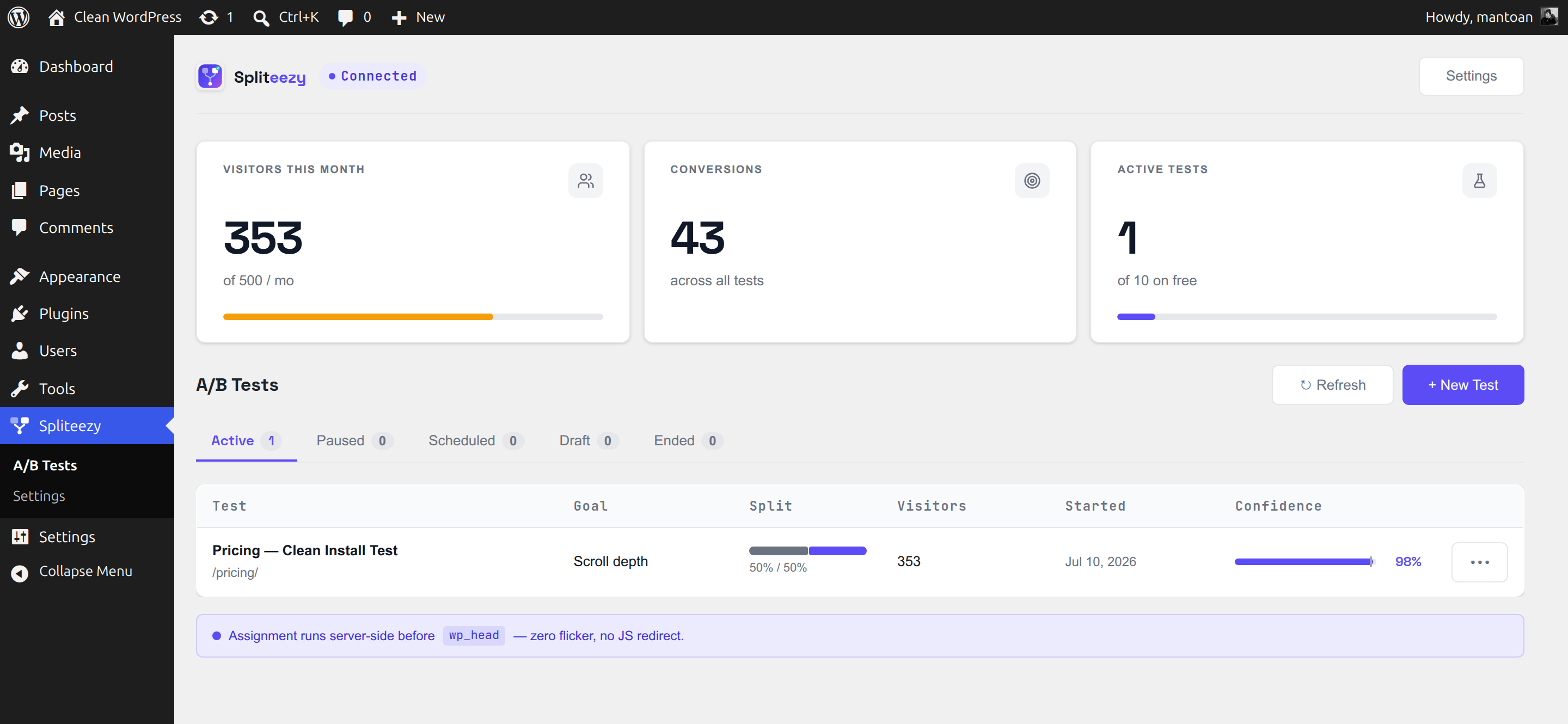
No. The free plan includes 1 website, 1 concurrent active test, and 500 tracked visitors per month — no credit card required. Sign up at spliteezy.com.
-
How does “Connect to Spliteezy” work?
-
Clicking Connect sends you to spliteezy.com to log in and authorize this website. Once you approve, the plugin receives a short-lived one-time code and exchanges it directly (server-to-server) for your website’s API key — everything is configured automatically and the key never passes through your browser. You can disconnect (or reconnect with a fresh key) at any time from Spliteezy Settings.
-
Will it slow down my website?
-
Minimal impact. The test manifest is cached in a WordPress transient and refreshed every 5 minutes, so no external API call is made on the vast majority of page loads. The front-end tracker script is deferred and only loaded on pages with an active test.
-
Does it work with my page builder?
-
Yes. Variants are real WordPress posts, so they work with any builder that edits standard posts or pages: Gutenberg, Elementor, Divi, Bricks, Oxygen, or the Classic Editor. Spliteezy creates a hidden clone of your original post for each variant and serves it at the same URL.
-
Is it compatible with caching plugins?
-
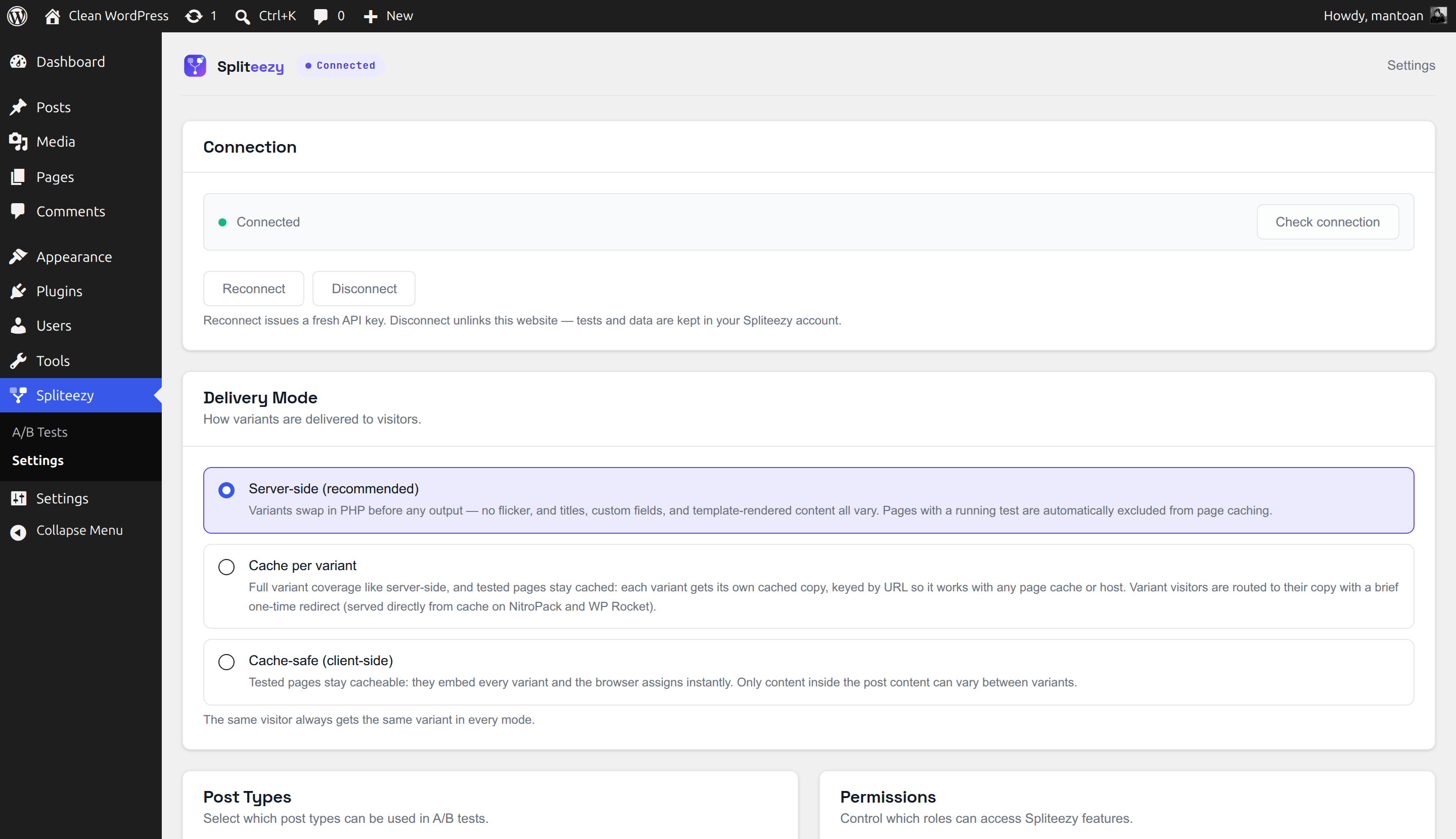
Yes — and you can choose how, under Spliteezy Settings Delivery Mode:
- Server-side (default) — pages with a running test are automatically excluded from full-page caching (WP Rocket, W3 Total Cache, WP Super Cache, LiteSpeed Cache, WP Fastest Cache, SiteGround Optimizer, Cache Enabler, Breeze, WP-Optimize, and host caches like WP Engine and Kinsta). Every visitor gets their variant with zero flicker; every other page stays cached as usual. On NitroPack, Spliteezy registers tested URLs with NitroPack’s exclusion list automatically.
- Cache per variant — tested pages stay cached, with one cached copy per variant. Full variant coverage like server-side, and it works with any page cache or host.
- Cache-safe — the cached page embeds every variant and a tiny script assigns the visitor instantly in the browser, using the same deterministic algorithm as the server. In this mode only content inside the post content can vary.
Whichever mode you choose, Spliteezy purges affected pages from the cache automatically when a test starts, ends, or a variant is edited.
-
Will running tests affect my SEO?
-
No. All variants are served at the same URL — Google only ever crawls one version of the page. When a test ends, variant posts are cleaned up automatically. No duplicate content, no 404s.
-
Does this work on WordPress Multisite?
-
Not yet. Multisite support is planned for a future release.
-
Where is visitor data stored?
-
All event and visitor data is stored on Spliteezy servers (spliteezy.com). See the Privacy Policy section for details on what data is collected.
-
Can I self-host the Spliteezy API?
-
The Spliteezy API is currently a hosted-only service. If you are interested in self-hosted options please contact us at spliteezy.com.
Reviews
There are no reviews for this plugin.
Contributors & Developers
“Spliteezy – A/B Split Tests Made Easy” is open source software. The following people have contributed to this plugin.
Contributors

Translate “Spliteezy – A/B Split Tests Made Easy” into your language.
Interested in development?
Browse the code, check out the SVN repository, or subscribe to the development log by RSS.
Changelog
0.10.2
- Initial release.